![[August 2025] VRChat Gimmick Trends & Ranking | Booth Trend Analysis](/static/28c9caf14e8b0e41566cfad4edf1a188/august-2025-gimmick-picks-cover.jpg)
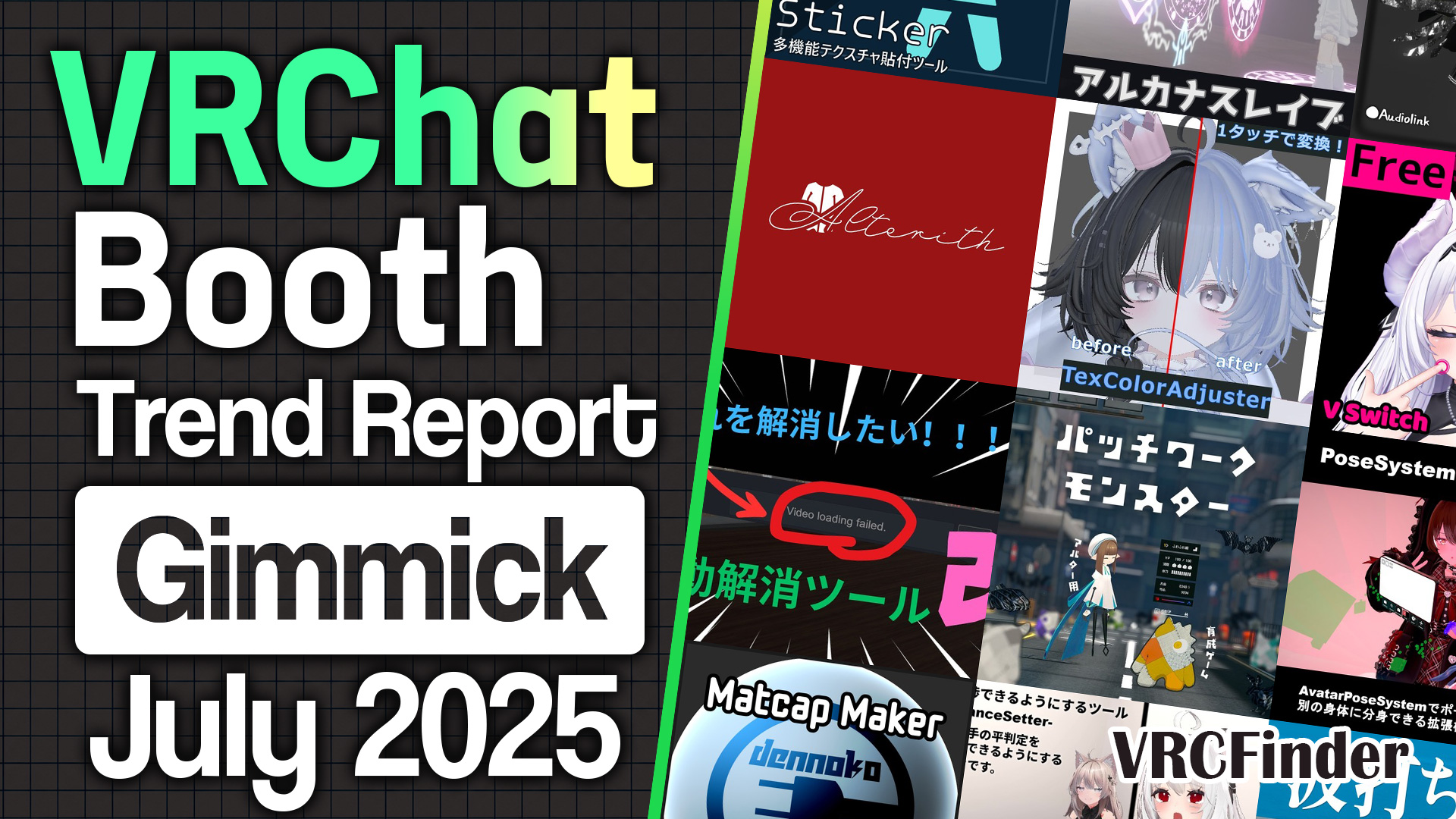
Gimmicks and tools are the category that quietly supports VRChat's "make and play"—shaving steps off customization, or adding a little play to photos and everyday moments. Among the new releases published on Booth in August 2025, the ones that gathered the most Likes were an all-in-one tool that lets you pose an avatar like a doll and finish the shot right inside Unity, a free tool that recolors hair inner-colors with a single click, and a novelty gimmick that pops a censor bar over your mouth in sync with mute—and free editor extensions that each erase one step of the customization workflow took half of the top spots. I'll go through the 10, led by an all-in-one pose-and-photography tool that topped everything, one by one with where each comes in handy.
📊 About the data Aggregation date: 2026-06-25 / Scope: Gimmicks & Tools published on Booth between 2025-08-01 and 2025-08-31 with 300 or more Likes (132 items)
- Top 10 Featured Gimmicks & Tools
- No. 1: AvaPo! / Helium Life
- No. 2: Mesh Color Tool / kokoa factory
- No. 3: Self-Censorship Gimmick / 金曜雑貨
- No. 4: Color Changer For Unity / ぷこるふの倉庫
- No. 5: MaterialUnifyTool / ばんびのちょうじょう
- No. 6: PhantomMove / お手上げ領域
- No. 7: Armature Scale Copier / 樰技局
- No. 8: Milltina Face Plus / Laevigata
- No. 9: Ichigo Body Shapekey + / Mya
- No. 10: 左右田式なでさうんど / さいだーさうんど
- August 2025 Trends
- Features & Functions: MA support as the base, with customization helpers and photography as the two currents
- Supported Models: based on Kipfel and Ercion, with add-ons concentrating on Ichigo
- Price Range: median lifting to ¥500, yet free stays strong in the ranking
- Creator's-eye view of August trends
- Summary
Top 10 Featured Gimmicks & Tools
Ranked by Like count as of the aggregation point (June 2026), I'll go through the specs and craft of each one.
No. 1: AvaPo! / Helium Life
An all-in-one tool that completes everything from posing to Unity photography inside Unity itself. Until now, shooting an avatar photo in Unity meant juggling several tools—GestureManager for expressions, Recorder for capture, and posing bones by hand. AvaPo! lets you grab and move an avatar's bones directly, like posing a doll (IK control), and flow straight into shooting with a high-feature camera. The 15,400 Likes made it the runaway No. 1 among August's gimmicks and tools—the item that shaped the whole month's terrain.
Its breadth is a real strength: you can swing the hair and clothing PhysBones freely for a shot with motion, swap the background for an image or transparency, and layer drop shadows, outlines, and glow onto the avatar—all of the photography steps finish inside the tool. Poses, expressions, and gestures can be imported and exported, so you can pull in a pose distributed on Booth and fine-tune it. It supports Japanese, English, and Korean, and works in both Edit and Play modes.
Beyond photography, it doubles as a way to make example shots for SNS posts or Booth product pages, and even as a 3D drawing mannequin for illustration reference. It launched this very August (v1.0.0), kept getting updates, and has passed 9,500 users. The price is ¥1,200 for the standard version.
No. 2: Mesh Color Tool / kokoa factory
A free tool that recolors part of a mesh into any color, just by clicking. When you want to change the inner color of hair, or recolor just part of a shoe or accessory, you normally have to make a mask texture in a paint app. This tool lets you click the mesh faces you want directly in Unity and pour a different color into them, so you can do partial recoloring while skipping the mask-making step. Its 6,902 Likes put it at No. 2, right behind AvaPo!, and it's the first free release to appear in the Top 10.
The painted area can be exported as a mask texture, so if you want to refine it further you can take it into a paint app and finish there. It's released under the MIT license, with the source visible on GitHub—an open distribution. You call it up from Tools > Mesh Color Editor and click faces to paint them; that simplicity is why it reached so wide as a free tool.
No. 3: Self-Censorship Gimmick / 金曜雑貨
A novelty gimmick that hides words you'd rather not say by dropping a "censored" bar over your mouth. When it fires, a black bar appears over your mouth, and you can pick the look from four types—mosaic, 自主規制 (kanji), CENSORED (English), or a 🚫 icon. It's the kind of small joke that suits manga speed lines and makes you laugh. 5,869 Likes, ¥500.
What's clever is the trigger: on top of firing it manually from the EX menu, you can set it to pop automatically when you mute or when your voice goes over a set volume. "Slip a mute into a conversation and act like you just blurted out something outrageous"—that kind of play is built right in. It also packs four censor sounds: a beep, a gunshot, a quiz-fail buzzer, and a chick chirp, so you can sound off to match the moment. It comes Modular Avatar–ready, so you install it just by adjusting the position to cover the mouth.
Sponsored
No. 4: Color Changer For Unity / ぷこるふの倉庫
A non-destructive color tool that changes colors while you watch a real-time preview, without baking textures. It ports the advanced color editing that was popular in the same creator's "VRC Color Changer" software into Unity, done non-destructively and in real time. Not having to remake textures is the big difference from the earlier version. It came in at No. 4 with 5,340 Likes.
What works well is that you can apply different colors per avatar even on the same material. You can preview multiple components at once and dial in the color on the spot. Installation is via VPM, and you just right-click the object you want to recolor and add a component. It's MIT-licensed and accepts pull requests on GitHub—an open piece.
No. 5: MaterialUnifyTool / ばんびのちょうじょう
A new release from ばんびのちょうじょう—the creator behind the popular color-matching tool "TexColorAdjuster"—this is a free editor extension that unifies material settings in one pass. 4,564 Likes, free.
When you gather parts from all over for a customization, you tend to get mismatched settings—"the shadow settings differ between hair and skin," or "I want to add distance fade for head-pats, but there are so many materials it's a hassle." MaterialUnifyTool lets you pick items from a source material—lighting settings, shadows, RimShade, distance fade—and copy them in bulk onto target materials. Unlike lilToon's stock Fix lighting, the point is that you choose which materials to unify, and it can also detect materials whose values are out of sync within an avatar.
For what it's worth, this function was folded into the same creator's "TexColorAdjuster" after release, with a note that anyone who wants to use it via VCC (ALCOM) should head there. Keep polishing a single-purpose tool that matches colors, then roll it into the shop's staple tool—it's a continuous line from July's color-matching tool.
No. 6: PhantomMove / お手上げ領域
An avatar gimmick that briefly vanishes your body while leaving an afterimage, letting you move as if you teleported. Normally when you move in VRChat, your body just slides along. PhantomMove briefly hides your body at the moment of movement and trails an afterimage behind it, adding a flashy, anime-like movement effect. 4,115 Likes, ¥700.
You can pick the look from four types—a black-shadow image, an ice-statue freeze, a high-speed style, and a teleport style—swinging the mood with the same mechanism. The trigger is selectable from the EX menu too: only while moving, while holding a button, or by toggle. The afterimage's appearance reflects how your avatar looks at install time, making it a fit for cool action shots. It carries a lot of particles, so the load is on the heavier side, and it's built for PCVR.
Sponsored
No. 7: Armature Scale Copier / 樰技局
A free editor extension that copies and pastes a body shape you've edited onto an outfit's armature in bulk. After you scale-adjust an avatar's body, you'd otherwise redo the same adjustment on the outfit by hand—this tool takes over that quietly tedious step. 3,762 Likes, free.
What it copies is the components on the armature's children, like MA Scale Adjuster, plus Transform scale and position info. There's a mode that copies all armatures within an avatar in bulk, and one that moves a few individually, so the work of fitting outfits after a body edit—or making adult/child prefabs—drops sharply. It's MIT-licensed, an item that supports the layered work of customization from underneath.
No. 8: Milltina Face Plus / Laevigata
A free asset that adds 13 expression shape keys to the avatar "Milltina." It's add-on data installed via BlendShare that expands the expression variations Milltina's base body doesn't have out of the box. 3,743 Likes, free.
A thoughtful touch is the dedicated shape key included to fix the dip that tends to form near the inner eye when you narrow the eyes. It also packs fine-adjustment shape keys, like thickening the eyelashes or drawing the eyebrows together. A creator other than Milltina's base author is expanding a popular avatar's face for free—it's a piece that shows how avatars have grown into ecosystems.
No. 9: Ichigo Body Shapekey + / Mya
A shape-key add-on that fine-tunes the body of the avatar "Ichigo" part by part. Born from the motive of wanting to dress it in all kinds of clothes, it's body-adjustment data that lets you dial the figure anywhere from plump to slim. 2,737 Likes, ¥500.
You can adjust part by part—chest, hands, the navel area—and updates have added a chest option and even experimental hand and navel-area tweaks. Just like No. 8's Milltina face shape keys, assets that add expression and body variations on top of specific popular avatars lined up in the ranking, which is one of August's hallmarks. Ichigo also got face shape-key add-on data the same August, making it an avatar where base-body-rooted expansions are gathering.
No. 10: 左右田式なでさうんど / さいだーさうんど
A head-pat gimmick obsessed with sound, where a petting sound plays when a hand nears your ear. It skips visual effects like a darkening shader; a creator who works on ASMR audio went all-in on crafting the sound of being petted itself. 2,670 Likes, ¥600.
From the EX menu you can pick from five sounds—a soft stroke, a light brush-like sound, wiping the ear with a towel, an ear-covering massage, and a gel massage—and you can play different sounds on the left and right hands or adjust the volume. The audio swaps out easily, so you can drop in your own favorite sound. Petting and touch gimmicks turned up in numbers this month, and this one went all-in on sound quality.
Sponsored
August 2025 Trends
I'll look at all of August's gimmicks and tools through the aggregate numbers and the per-axis rankings.
| Metric | Value |
|---|---|
| Items in scope | 132 |
| Average Likes | 1,169 |
| Median Likes | 655 |
| Average price | ¥636 |
| Median price | ¥500 |
| Share of free items | 22% (29 / 132) |
| Share under ¥1,000 | 83% (110 / 132) |
| Items with "MA support" | 57% (75 / 132) |
| Top 10 free customization-helper tools | 5 (#2 / #4 / #5 / #7 / #8) |
| Top 10 shape-key add-on data | 2 (#8 / #9) |
There were 132 items in scope, and the price terrain again leans to the cheap side compared to outfits or hairstyles. That said, compared with months that were free-heavy, the floor has lifted a bit: the median is ¥500, and the largest volume zone is the ¥500–999 band (59 items). Looking at the top names, two distinct currents coexist—editor extensions that erase one step of the customization workflow, and runtime gimmicks that make photos and conversations more fun.
Features & Functions: MA support as the base, with customization helpers and photography as the two currents
Top 10 Features
Distribution of product features, capabilities, and gimmick types.
In the function-axis tally, MA support leads by a clear margin at 75 items (about 57%), followed by lilToon support 36 / particles 32 / shape keys 17 / expression animation 14 / PhysBone support 12 / shaders 11 / blend shapes 10 / world-fixed 10 / world gimmick 7. A build that runs on Modular Avatar being the foundation of the category is unchanged from prior months.
Tallying frequent keywords, MA support 44, gimmick 43, and for-photography 40 are at the top, with editor extension 23 and customization 21 right below. Photography and customization help are the two currents: runtime gimmicks that look good in photos and example shots, and editor extensions that take over the chores of customization, both coexist in the single category of gimmicks and tools, and that comes through directly in this keyword distribution. The Top 10 leaned toward the tool side, but across the whole category, playful gimmicks like particles and following pets are thick too.
One that caught the eye on the runtime-gimmick side, outside the Top 10, is this.
Nullum's "Pirione" is a clione-shaped pet that floats slowly through the air and follows you. It can deploy a wobbly chill space called "Jellyfish Dome" when touched, and it has a built-in original glitch shader with AudioLink support, so the logo and status display glow and flicker to the audio. With 20 colorways and an AFK-sensing motion, it's a ¥1,500 multi-function following pet.
Supported Models: based on Kipfel and Ercion, with add-ons concentrating on Ichigo
Top 10 Supported Models
Distribution of supported avatar models.
In the supported-model tally, the distribution runs Kipfel 11 / Ercion 10 / Ichigo 8 / Manuka 6 / Rurune 6 / Mamehinata 5 / Milfy 5 / Arue 4 / Milltina 4 / Shinano 3. Kipfel and Ercion stand a head above the rest, and you can see a thick layer of gimmicks and support data verified against popular avatars. Ichigo cracking the top with 8 is because expansion data built on Ichigo—starting with No. 9's body shape keys—gathered the same month.
A shader that solves one customization headache, supporting many avatars, is this.
Pochi by KT's "PeekDarkener" is a peek-prevention shader that automatically darkens to hide naturally when someone's about to look under a skirt. It's transparent normally and darkens only at the peeked angle with a natural blur, with adjustable shadow intensity and color. Rather than editing the outfit texture directly, it adds a material to the body mesh, so it's less prone to interfering with other customizations, and it ships with data for 17 avatars—Pochi, Kipfel, Manuka, Shinano, Milltina, and more—at ¥500.
Price Range: median lifting to ¥500, yet free stays strong in the ranking
Price Distribution
Price bucket distribution for products in this theme during the period.
The price distribution is free 29 / ¥1–499 at 22 / ¥500–999 at 59, which is 110 items (= 83%) up to here. ¥1,000–1,999 is 14, ¥2,000–2,999 is 3, ¥3,000–4,999 is 5, and ¥5,000+ is 0. The largest volume zone is the ¥500–999 band (59 items), with the median at ¥500. Compared with months centered on free, the price floor has lifted slightly. Even so, free takes 5 spots in the Top 10, so free tools hold their presence in the ranking.
From the largest-volume ¥500–999 band, here's a piece that automates outfit toggling.
豆々庵's "ItemToggleBuilder" is an editor extension that detects meshes from the avatar root and auto-generates an entire EX menu just from the items you choose to toggle. Icons are made automatically too, and because it toggles by mesh rather than by object, it's less prone to bugs. It takes over the whole chore of building toggles—which gets more painful the more outfit accessories you add—and it works on all avatars, at ¥500.
From the free side, here's one that makes the ever-growing pile of shape keys easier to find.
VRUtilities' "BlendshapeFinder" is a Unity extension that searches shape keys—which get hard to find as they multiply—by name or value, groups them, and raises their visibility. You can preview the applied mesh with vertex highlighting, and it's a versatile tool that works on any avatar with a SkinnedMesh. Distributed free as a thank-you after a repost campaign pushed its Likes and reposts up, it's a piece that clears a quiet snag in customization work.
Creator's-eye view of August trends
Readers of the gimmicks and tools category are a mix of tool makers, gimmick makers, and customizers, so from the Top 10 and August's overall numbers, I've gathered the metrics likely to resonate on the creator side.
| Metric | August's number |
|---|---|
| Fully free in the Top 10 | 5 (#2 / #4 / #5 / #7 / #8) |
| Customization-helper editor extensions in the Top 10 | 5 (#1 AvaPo! / #2 / #4 / #5 / #7) |
| Shape-key add-on data for specific avatars in the Top 10 | 2 (#8 Milltina / #9 Ichigo) |
| ¥1,000 or more in the Top 10 | 1 (#1 AvaPo! ¥1,200) |
| Creators in the Top 10 with past hits | #5 ばんびのちょうじょう (TexColorAdjuster, 15,119 Likes), a sequel slot |
Notes for gimmick makers:
-
Free customization-helper tools take half the top — Click to paint a color, change colors non-destructively, unify materials, copy a body shape onto an outfit, add face shape keys—#2/#4/#5/#7/#8, five free editor extensions. What they share is pinpointing and erasing one chore somewhere in the customization workflow. Rather than a do-everything multi-tool, a design that answers a specific headache—"if only this got easier"—for free and head-on lined up thick near the top.
-
The peak is an all-in-one pose-and-photography tool — No. 1 AvaPo! (15,400 Likes) is an all-in-one that bundles posing through Unity photography. As "for-photography" sitting high among frequent keywords (41) shows, demand for photos and example shots is huge in this category, and unifying that entry point is what earned the runaway reach. It's a No. 1 that shows the strength of removing the need to hop between tools.
-
Shape-key add-on data built on specific avatars — Add-on data expanding a popular avatar's face or body, like #8 Milltina and #9 Ichigo, made the top. Ichigo also stands out at 8 in the supported-model tally, and you can see creators other than the base author adding expression and body variations. The more an avatar grows into an ecosystem, the more room these expansion assets get.
-
The floor lifts, yet free stays strong in the ranking — With a median of ¥500 and the largest volume in the ¥500–999 band, the once free-dominated terrain has nudged its floor up. At the same time, free takes 5 of the Top 10, so free tools keep their presence in the ranking. The path of distributing widely and working into the customization workflow was a thick route to the top in August too.
Summary
August 2025's gimmicks and tools were a month where free editor extensions that erase one customization step at a time took half of the top spots. A tool that recolors by clicking, a non-destructive color tool, a tool that unifies material settings, a tool that copies a body shape onto an outfit, an asset that adds face shape keys—each answers a specific customization chore, "if only this got easier," for free and head-on. At the peak stood AvaPo!, an all-in-one tool bundling everything from posing to photography, which unified the entry point to the huge demand for photos and gathered the runaway lead in Likes.
On the other hand, playful gimmicks that make photos and conversations more fun lined up near the top too—a novelty that pops a censor over the mouth, an effect that trails an afterimage, an ear-side petting-sound gimmick—and shape-key add-on data expanding Milltina's and Ichigo's expressions and bodies showed its face. The price floor lifted a bit to a ¥500 median, yet free takes half of the Top 10—from small tools that distribute widely and work into the customization front lines, to all-in-one tools polished with patience, it was a month where the ingenuity of people who keep their hands moving showed up straight in the ranking.
Sponsored
About the data
- Aggregation date: 2026-06-25
- Scope: Gimmicks & Tools published on Booth between 2025-08-01 and 2025-08-31 (132 items)
- Ranking basis:
like_count(Likes) in descending order as of the aggregation point - Listing condition: VRCFinder's DB only collects items with 300 or more Likes, so items that hadn't reached 300 Likes at the aggregation point are not included here
- Note: The figures and ranking in this article are a snapshot as of the aggregation date. They don't reflect later changes, so they may differ from current numbers