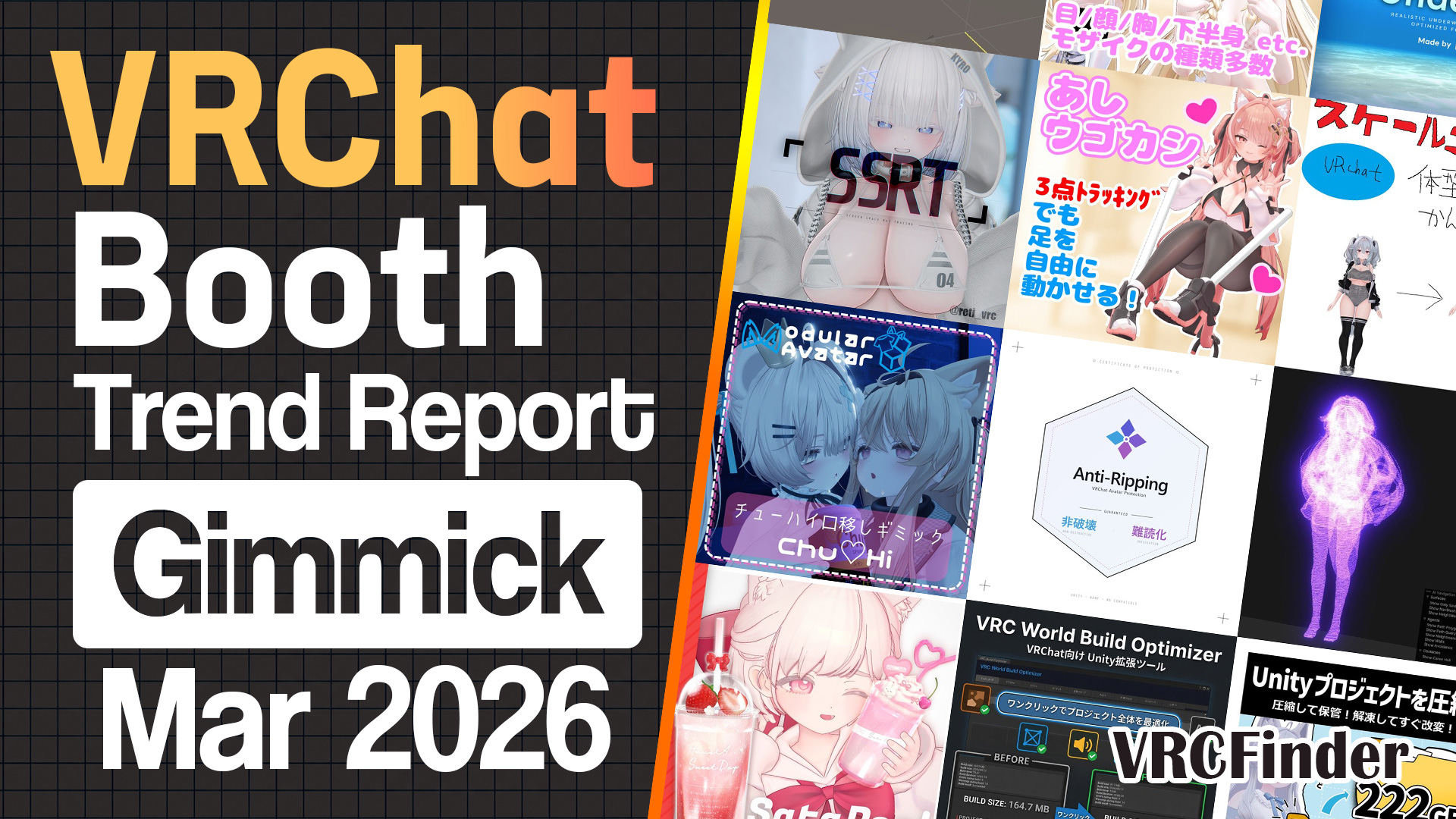
![[March 2026] VRChat Gimmick Trends & Ranking | Booth Trend Analysis](/static/cf996710cc4d67eed38fcfd3742681fb/march-2026-gimmick-picks-cover.jpg)
Face-tracking setup, color matching, body-shape copying, optimization — March 2026's new gimmicks and tools on Booth handed each tedious step of the customization workflow to its own specialized tool. And layered on top came something this category had never seen before: the full-scale arrival of official manufacturer shops.
At the top sits a ¥3,500 editor extension that compresses face-tracking setup into three steps (5,351 likes). Let's start there and go through the lineup one piece at a time.
📊 About the data Compiled: 2026-07-13 / Scope: gimmick & tool releases published on Booth between 2026-03-01 and 2026-03-31 with 300+ likes (113 items)
- 10 Notable Gimmicks & Tools
- #1: Feitora Dekiru / Hamuya
- #2: TextureColorKit / kobokits
- #3: Silhouette+ / qbshop
- #4: liltoon Material Editor / Gurenchang
- #5: EasyAvatarOptimizer / toomov
- #6: See-Through Alignment Tool / kokoa factory
- #7: CB1000 Hornet SP / Honda Motanion Official Avatar Shop
- #8: EX Menu Manager / ADDTools
- #9: Unity AI Helper / Remoneru-Uruneru
- #10: Speaking-Directly-Into-Your-Head Gimmick / Bunfinity
- March 2026 Trends
- Wrap-up
- Other categories for March 2026
10 Notable Gimmicks & Tools
Sorted by like count as of the compile date (July 2026), with a closer look at what each release actually does and how it's built.
#1: Feitora Dekiru / Hamuya
A new release from Hamuya — the creator behind January's #3 "Gimmick Tsukuru" — this is a Unity editor extension that sets up VRChat face tracking (VRCFaceTracking) automatically and non-destructively. As of the compile date (July 2026) it sits at 5,351 likes, first place for March's gimmick & tool category, and at ¥3,500 it's the highest-priced #1 across January–March.
The core appeal is how low it drops the entry bar: "set your avatar, run three steps, and the face starts moving." Shape-key names that differ per avatar are auto-inferred from a built-in dictionary plus analysis of vertex movement direction and influence regions, matched to face-tracking outputs, and integrated non-destructively via Modular Avatar. A bundled environment wizard even turns a smartphone or webcam into a face-tracking device — so the three walls of face tracking (hardware, per-avatar data, Unity setup) are all absorbed by the tool itself.
The successor "Feitora Dekiru 2," released later, is a free download for existing buyers. It packs multi-shape-key assignment per movement, shape-key limit break, input/output signal tuning, live in-editor preview, automatic conflict prevention with lip sync and blinking, and .ftprofile profile export (redistributable). Localization covers Japanese, English, Korean, Chinese and Spanish, with credited collaborators for UI/UX and the PR video — production values that match the premium price.
#2: TextureColorKit / kobokits
An editor extension that handles texture recoloring, AO baking, face-shadow SDF generation and material/mesh optimization entirely inside Unity. No Photoshop, no GIMP — recolor through map generation to PNG export all happens in-engine. As of the compile date, 4,970 likes at ¥1,000.
Its signature move is adjusting color in the perceptually uniform CIELCH color space, with three modes — Shift (relative hue rotation), Replace (absolute hue, works even on achromatic textures) and Gradient (directional gradients per UV island) — plus an auto-color-match that analyzes the texture and derives optimal parameters from a target color. It also auto-generates anime-style face-shadow SDF maps, output in lilToon's _FaceShadowTexture-compatible format with SDF presets for 10 avatars included.
GPU ray-traced AO baking, procedural normal-map generation, visual UV-island selection with PNG mask export — the work customizers used to do in external paint tools, pulled wholesale into Unity. The UI ships in Japanese, Korean and English with multilingual Notion manuals, and updates kept landing after the March v1.0: face-shadow SDF baking, normal-map generation and Texture/Material/Mesh Merge arrived across April and May.
#3: Silhouette+ / qbshop
A body-shape adjustment tool for the "I love this avatar's proportions" moment — it copies height, head-to-body ratio and leg length onto another avatar. Point it at a reference avatar and it brings your avatar's build close enough that the two look naturally matched side by side in the Unity scene, then lets you fine-tune with sliders. As of the compile date, 4,095 likes at ¥500.
No reference on hand? Quick presets (big brother / big sister / girl-boy / long-legged model / SD toddler) generate a build from scratch, with per-part sliders for neck, torso, hips, arms, legs and hand/foot size. An option propagates the scaling to outfit and hair rigs with same-named bones, so clothes and hair follow the new proportions. It works by scaling bones (meshes untouched), and the page is upfront that extreme deformation will break down — recommending the "adjust the base body first, then dress it" workflow. Post-release updates driven by user feedback added an English UI, outfit scale copy, and a chest-depth adjustment axis.
#4: liltoon Material Editor / Gurenchang
A Unity editor extension that edits multiple lilToon materials at once. As of the compile date, 3,749 likes — the first fully free entry in the Top 10, squarely aimed at people who want to speed up fine-tuning and batch work during avatar production.
It syncs with your Hierarchy selection to auto-collect target lilToon materials, lets you choose precisely what to change by category or property, and applies it across the selection in one go. "Duplicate and apply" keeps the original materials intact, and a Revert undoes the last application — so batch-applying the same tweak across dozens of materials carries little risk of rework. The discipline of doing exactly one thing — batch-editing lilToon materials — and nothing else explains how a free tool reached the Top 10. The UI switches between Japanese and English.
Sponsored
#5: EasyAvatarOptimizer / toomov
Built for people who "haven't optimized because it's a hassle" — drop the Prefab under your avatar and optimization is done. As of the compile date, 3,224 likes, free, and the most friction-free entry among the Top 10's free tools.
The tool doesn't compress anything itself. Its core design is bundling the standard OSS optimization stack — AAO (Avatar Optimizer), Avatar Compressor, d4rkAvatarOptimizer, Meshia Mesh Simplification, VRCFury and NDMF — behind a setup screen and a single Prefab. A setup flow installs everything at once, and required components are moved non-destructively to the avatar root, producing a "no optimization knowledge needed" state. Settings lean toward preserving visual quality, and the page draws an honest line: power users who want fine control should tune things manually instead. Following January's #1 — the free avatar optimizer "LAC" — the free × optimization lineage held its upper-rank streak in March.
#6: See-Through Alignment Tool / kokoa factory
A helper tool for the alignment problem of "I can't tell the depth, so I can't place this" — make any part see-through (translucent) and align accessories while watching what's underneath. As of the compile date, 3,018 likes, free, and strictly an editor-time preview (nothing carries over to the upload).
The intended use covers exactly the spots that hurt — inside the hair, around the arms, inside boots — with MA support, non-destructive operation and one-button on/off. Supported shaders are lilToon and Poiyomi. MIT-licensed, published on GitHub, and packaged as a VPM repository — OSS-style distribution for customization tools is clearly settling in as a norm in this category.
#7: CB1000 Hornet SP / Honda Motanion Official Avatar Shop
An avatar motorcycle gimmick from Honda's official shop. It sets up a faithful recreation of the real-world CB1000 Hornet SP on your avatar, ridable through menu controls or direct VR interaction. As of the compile date, 2,689 likes at ¥5,000 — the first time in this series that an automaker's official shop has entered the category's Top 10.
The interaction depth goes beyond the usual vehicle gimmick. The EX menu covers show/hide, world-pinning, kickstand, turn signals, hazards, high beam and horn — and in VR you pull trigger and grip near the keyhole to turn the key, and twisting the throttle changes the engine sound smoothly with the angle. At △774,651 polys and 82 materials it's built for full fidelity, with an explicit note recommending small instances. A VRChat world, "Honda Motanion Lab," even lets you test-ride before buying.
Post-release support has been equally serious: a weight-reduction update merged parts to cut material slots, and July brought a setup tool with pose adjustment (extending support to previously unsupported avatars) plus a sticker feature — with the page crediting feedback gathered via Discord and X. Built on lilToon + Modular Avatar, this is a manufacturer meeting the customization culture on its own terms.
Sponsored
#8: EX Menu Manager / ADDTools
A management tool that disables or deletes expression-menu items and parameters with ease. As of the compile date, 2,634 likes, free. Toggling individual menu items and parameters resolves broken customizations from unintended shape-key control, as well as parameter shortages.
Main and sub menus toggle individually, including items added or controlled by Modular Avatar. Parameters with the same name as a disabled menu item toggle automatically, Synced flags can be switched per parameter, a preview shows the numbers as you adjust, and a restore function backs it all up — squarely aimed at "I want different setups per use case" and "editing menus every time is a chore." ADDTools also released the free "Material batch Changer" in the same month, covering both menu management and material management with free tools.
#9: Unity AI Helper / Remoneru-Uruneru
An editor extension that asks an AI about Unity console errors — cause and fix — in one click. Released free in March as a new tool from Remoneru-Uruneru, the creator of the popular "Avatar Blink Fix," it gathered 2,587 likes as of the compile date.
The core idea compresses the copy-paste-translate-search loop into a single in-Unity button. What sets it apart from a generic chatbot is AI knowledge specialized for VRChat tooling — VRChat SDK, Modular Avatar, lilToon, Poiyomi — with automatic grouping of similar errors so bulk failures can be queried together. Answer levels switch between beginner (careful step-by-step), intermediate (with menu paths) and advanced (code-centric), and the AI runs on Google AI Studio's free tier (Gemini API), so no additional spending was required.
One important update: after reviewing the late-June revision of Unity's Terms of Service, the creator voluntarily halted public distribution, citing unresolved concerns about the tool's nature of sending Unity-derived logs and screen captures to an external AI service. This was a judgment call made before any determination of a violation, and the product page even carries a notice asking existing users to take care — a conscientious wind-down. Together with February's #10 "UnityAgent" (an AI agent driving Unity in natural language), it confirms the AI-assist current in this category — and I'll return to what its ending means in the creator section.
#10: Speaking-Directly-Into-Your-Head Gimmick / Bunfinity
Summon a transparent orb only you can see, place it over someone's head, and that person alone hears your pre-set audio. As of the compile date, 2,415 likes at ¥300. In a month where the Top 10 filled up with editor tools, this stood as one of the few pure runtime performance gimmicks.
Up to four audio clips can be registered — play an invite sound, the voice of a friend who isn't in the instance, or whisper a private "let's slip away" to one person in a group conversation. Variants ship for the right hand, left hand and head (desktop users take the head version). The note "please use between close friends" says everything about its intended distance. Modular Avatar pre-configured; drag in the Prefab, set your audio, done.
Sponsored
March 2026 Trends
Beyond the ranking, here's what the full pool of 113 gimmick & tool releases published in March tells us.
| Metric | Value |
|---|---|
| Items in scope | 113 |
| Average likes | 1,026 |
| Median likes | 598 |
| Average price | ¥725 |
| Median price | ¥500 |
| Free items | ~33% (37 / 113) |
| Under ¥1,000 | ~79% (89 / 113) |
| Top 10 customization-support (editor extension) entries | 8 (#1–#6 / #8 / #9) |
| Top 10 runtime entries | 2 (#7 motorcycle / #10 joke gimmick) |
The median price came back up from February's ¥300 to ¥500, and the free share settled from ~37% to ~33%. The pool stayed large — 104 (January) → 126 (February) → 113 (March) — while median likes slid to 598. The base stays broad, but "free alone doesn't get you noticed" selection pressure clearly advanced another step.
Features: MA support near 60% — the real signal is the tilt to support tools
Top 10 Features
Distribution of product features, capabilities, and gimmick types.
The feature-tag tally: MA Compatible 65 (~58%) leads by a clear margin, followed by lilToon Compatible 41 / Particle 21 / Shape Key 12 / Desktop Compatible 9 / World-fixed 9. The keyword tally runs Free 40 / MA 34 / Gimmick 32 / Editor Extension 25 / Customization 23 / For Photography 22 — the vocabulary of "tools that assist the customization work itself," fully consistent with 8 of the Top 10 being editor tools.
From the lilToon lane, a free tool that pins down the "something's off" of color work.
"MaterialShadowSync" from ぷこるふの倉庫 targets the moment you've matched colors across combined assets and something still looks wrong — most often mismatched shadow color and value settings, which it synchronizes non-destructively. Distribution is VPM-only, updates included. A free single-purpose tool that shoots one specific pain point dead center: very much this category in March.
In the desktop-compatible lane, one entry turned interpersonal distance itself into a gimmick.
"PersonalSpace" from シリアルのお店 is an auto-avoidance gimmick for people stressed by crowds and close quarters — it smoothly moves you away from approaching players and signals blind-side approaches with audio cues. ¥800. In a month painted with editor tools, it entered from the rare angle of supporting how you exist in VRChat rather than how you customize.
Supported avatars: the "conversion data" niche grows around Milltina and Riru
Top 10 Supported Models
Distribution of supported avatar models.
The supported-model tally: Milltina 4 / Riru 4 / Shinano 3 / Mayo 3 / Kipfel 3. Tool listings usually claim "works on any Humanoid," so the counts stay small — but the roster of standard avatars that gimmicks reach for first hasn't changed since January.
What thickened along this axis in March is the niche of "conversion data connecting a specific avatar to a specific customization system."
"Mayo MochiFitter Conversion Data" from エカシリコン is profile data that converts MochiFitter-compatible outfits onto Mayo, with rich shape keys for body adjustments and support for both forward and reverse conversion. ¥600. The same creator shipped a Lowtus version in the same month — and a second creator (Limernの真空工作室) ran a parallel Mayo dataset (¥500) in the very same month. Neither avatar nor tool, "conversion data" is maturing into a product genre that attracts multiple makers.
A pet gimmick with deep avatar support also anchors the model axis.
"Gokumon Shinobu" from はいぱーつよつよ is a komainu-ninja pet gimmick — a ninja pup that performs ninjutsu. The second release of the "Nonotsuyo" brand (with designer 乃々テンシア), it supports 35+ avatars, includes a bonus avatar-ized prefab, and sells as category packs at ¥1,200 each or a full set at ¥1,500. This is also the creator behind the office chair covered in the January small-item report — a maker who keeps shipping playful gimmicks across categories.
From the Riru lane, a low-priced gimmick that automates facial expressions.
"Touch me - RIRU" from マサカ煮屋 reacts to touches on five zones — face, kiss, animal ears, chest, lower body — switching automatically to a matching expression. ¥250. After sending the body-shape slider "Chichi wo More!" to February's #3, マサカ煮屋 continues here from a different angle: avatar-specific expression work.
Pricing: ~33% free, and the first 3 items above ¥5,000
Price Distribution
Price bucket distribution for products in this theme during the period.
The price distribution: Free 37 / ¥1–499 = 19 / ¥500–999 = 33, totaling 89 (~79%). ¥1,000–1,999 has 15, ¥2,000–2,999 and ¥3,000–4,999 have 3 each — and ¥5,000+ has 3, the first time this series has seen the top band occupied at all in this category. Honda's official bike (¥5,000, #7) and a hobby-maker pet gimmick (¥8,800, below) built it.
The free band's representative is a single-purpose problem solver.
"VRChat YouTube URL Converter" from つっきーの雑貨店 is a free Windows app for the moments YouTube playback fails in VRChat — paste a URL, click, and it converts to a VRChat-compatible format and copies it. 1,763 likes as of the compile date. Small, free, aimed at one specific annoyance — the archetype of this category's free layer.
From the ¥1–499 band, a fast response to a brand-new platform feature.
"CelestialJudgmentRay" from るうくん趣味工房 is a lock-on laser gimmick built on Raycast, which VRChat had only just added. The laser locks onto walls or player colliders; the remote world-fix gimmick "ObjectLauncher" is free, with the laser bundle at ¥320. Jumping onto a new platform API quickly and cheaply — classic gimmick-maker footwork.
In the ¥500–999 band, a shader preset from the previous report's Top 10 still holds its ground.
"Anything Choco-Mint Blue Preset for Poiyomi" from Lawdamassy Shop repaints an entire avatar into a chocolate-mint palette on application, with anime-style and realistic-style variants as the base. ¥600. A one-shot world-building tool for people who "don't really get Poiyomi," propping up the band just under the tool-heavy top.
And at the very top, ¥8,800 belongs to a hobby-maker pet.
"Virtual Geno Breaker" from ホビージャパンVR部 turns the ZOIDS unit "Geno Breaker" into a pet gimmick under official ©TOMY licensing, modeled on "AZ," the premium brand of the ZOIDS moving-kit line. It follows behind any avatar — the follow method makes it avatar-agnostic — and fires its charged particle cannon with separate ground and aerial motions. A sample avatar is published for pre-purchase testing. Alongside Honda's bike, it's the emblem of official manufacturer entries creating a brand-new top price band in March.
Sponsored
March trends from a creator's view
Since this category's readers include tool makers, gimmick makers and customizers alike, here are the indicators most relevant to the creator side, from the Top 10 and the full March pool.
| Metric | Jan 2026 | Feb 2026 | Mar 2026 |
|---|---|---|---|
| Items in scope | 104 | 126 | 113 |
| Median price / median likes | ¥500 / 726 | ¥300 / 696 | ¥500 / 598 |
| Free share | ~24% (25 / 104) | ~37% (47 / 126) | ~33% (37 / 113) |
| Top 10 customization-support entries | 7 | 6 | 8 |
| Top 10 fully free | 2 | 2 + 1 time-limited | 5 |
| Items at ¥5,000+ | 0 | 0 | 3 |
Focus points for tool makers:
-
Free is shifting from quantity to quality — The category-wide free share settled from ~37% to ~33%, yet fully-free Top 10 entries jumped from 2 to 5. Every free tool that reached the top is a single-purpose precision instrument: material batch-editing, optimization, alignment, menu management, AI error triage. Going free now demands top-tier utility; going paid demands the "erase the entire chore" level of the ¥3,500 face-tracking tool. The selection pressure that surfaced in February is now unmistakable in the numbers.
-
Official manufacturers created a new top price band — Honda's official motorcycle gimmick (¥5,000, #7) and ホビージャパンVR部's officially licensed ZOIDS pet (¥8,800) put the first 3 items into the previously empty ¥5,000+ band. What deserves attention is how they arrived: both conform to the current lilToon + Modular Avatar stack, and both offer try-before-you-buy paths — a test-ride world and a sample avatar. Companies adapting to the culture individual creators built expands the category's price ceiling and its audience at the same time.
-
AI customization support met a new variable: platform terms — Following February's #10 UnityAgent, a free AI error-triage tool took #9 — two straight months of AI in the upper ranks. Then that same tool's distribution was voluntarily halted after its creator reviewed Unity's late-June Terms of Service update, before any violation was determined, complete with notices for existing users — a conscientious wind-down. Tools that bridge to external services need terms-of-service drift priced in as a risk alongside functionality — the AI-era tool maker's homework, delivered in concrete form.
-
Post-release updates remain the upper tier's standard equipment (3 months running) — The #1 face-tracking tool ships its successor free to buyers; #2 TextureColorKit added SDF baking and mesh optimization across following months; #3 Silhouette+ keeps folding in feedback-driven adjustment axes; and even Honda's #7 bike ran weight reduction → setup tool → sticker feature as major updates. "Keep growing it after release" is simply how this category operates — unchanged since January.
Wrap-up
March 2026's gimmicks and tools made a tool-sided month, with customization-support editor extensions taking 8 of the Top 10 — face-tracking setup, recoloring with face-shadow SDF, body copy, material batch-editing, optimization, alignment, menu management. Five free entries and a ¥3,500 #1 share the same ranking: the free base and the premium peak each getting sharper is this category's structure, advanced one more step.
What made March a milestone, though, was the full-scale arrival of official manufacturer shops — Honda's motorcycle and the officially licensed ZOIDS pet. Both conformed to the current customization stack, both offered a way to try before buying, and together they planted a flag in the previously empty ¥5,000+ band. Companies joining in with the same care and craft that individual tool makers have refined — the category grew another layer deeper this month, and I suspect this is one we'll keep looking back on as the series continues.
Sponsored
Other categories for March 2026
The new Booth releases of March 2026 are covered category by category in my monthly reports.
- [March 2026] VRChat Avatar Trends & Ranking | Booth Trend Analysis
- [March 2026] VRChat Outfit Trends & Ranking | Booth Trend Analysis
- [March 2026] VRChat Hairstyle Trends & Ranking | Booth Trend Analysis
- [March 2026] VRChat Accessory Trends & Ranking | Booth Trend Analysis
- [March 2026] VRChat Small Item Trends & Ranking | Booth Trend Analysis
- [March 2026] VRChat World Trends & Ranking | Booth Trend Analysis
About the data
- Compiled: 2026-07-13 (originally compiled: 2026-05-16)
- Scope: gimmick & tool releases published on Booth between 2026-03-01 and 2026-03-31 (113 items)
- Ranking basis:
like_countas of the compile date, descending - Brush-up: this article was updated to the latest format on 2026-07-13, with the ranking and statistics replaced by figures re-aggregated on the same date
- Inclusion criterion: VRCFinder's DB only collects items with 300+ likes. Items that hadn't crossed that threshold at compile time are not included
- Caveat: all numbers and rankings here are a point-in-time snapshot and may have shifted since. "Published" refers to when the Booth product page went public, which may differ from the actual sales start
- Per-item specs, supported avatars, and pricing are taken from each Booth product page at the time of writing. Sales and updates may change; please verify on the Booth product page before purchase